Is there some tutorials or how to instructions on how to use YODL? Perhaps a forum can be set up on How to Use YODL?
1 Like
Hey Chris!
I got two more ways for you to track your followed discussions:
- You can click the 'Following' button, located underneath the 'My Connections' tab in your Profile. This will show you all your Followed Content.
- You can update your email notifications so you can get pinged in your inbox when a discussion your following has activity. You can update your notifications in your Profile, underneath the 'My Account' tab. You can choose the notification frequency that works best for you.
Hope this helps!
Appreciate you digging into YODL. If you need anything else, you can slide into my DMs!
1 Like
Thanks, yes the connections option seems to be the best option at this point. Screenshot for those that are visual: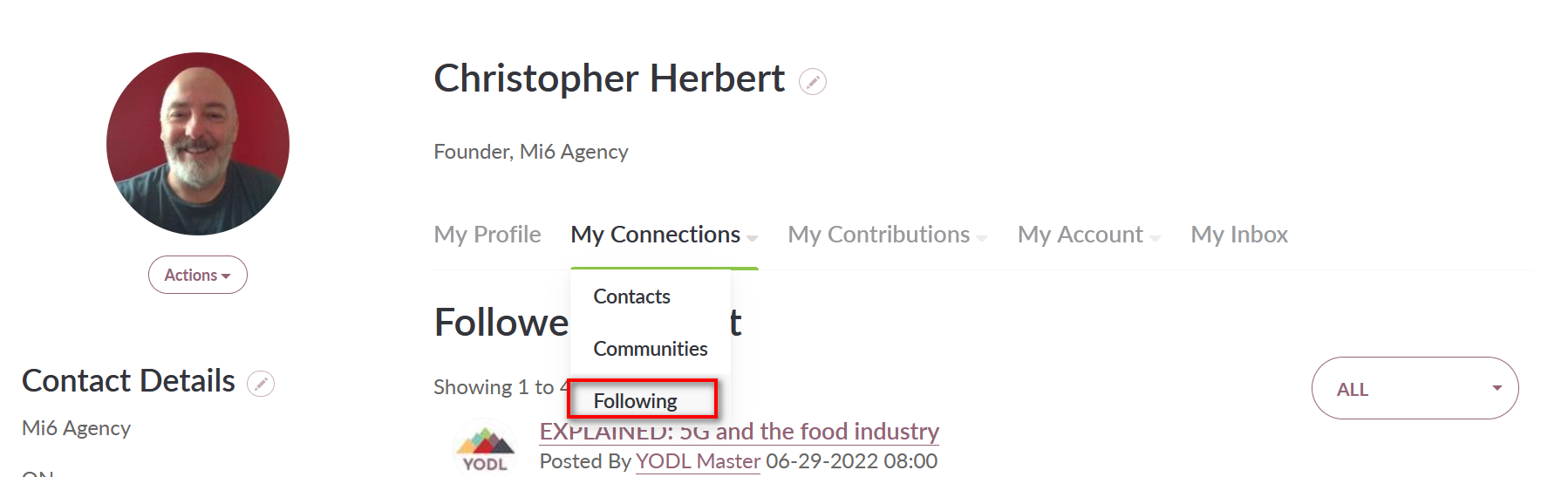
Is DM the same as private reply?
You got it! A DM and a Private Reply are the same.
You can send a private message by:
1 - Clicking the down arrow next to the ‘Reply’ button in the discussion post
2 - Clicking on the person’s profile and clicking on the three dots (‘…’) underneath their name + job title
Have a great week, Chris! If you have any other Qs, just let us know.
Hey Chris! Welcome to YODL
Your best best is to check out YODL 101 under the YODL Academy tab at the top.
https://www.cfin-rcia.ca/support/getting-started
You can find tutorial videos, glossaries, and quick tips for getting started. Each tutorial video is about 30 seconds and shows you how to add a contact, upload a file, start a discussion post, etc.
The FAQ (also located under YODL Academy) is also super helpful with about 30 questions to sift through.
Lastly, this Welcome to YODL! post in the Open Forum discussion can also provide some direction.
If you have any other Qs, let us know!
JK
1 Like
Thanks @Jamil Karim. Can you save me some time and tell me where I can find the discussions I follow? Is there one place on my profile for example? Ideally there should be some place where all the discussion you follow are grouped together.
You got it!
If you head to the Discussion Posts page, located under the ‘YODL’ dropdown menu you can see all discussion posts.
You can also click the ‘Discussions’ tab on the widget on your YODL homepage (the widget is located right under the three featured sections). You can also quickly access blog content and your communities from this homepage widget as well.
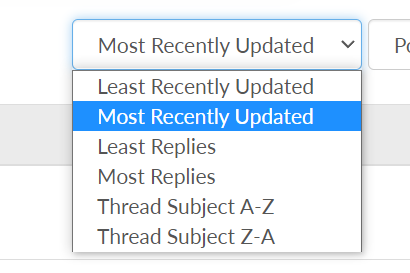
It would be cool if in this drop down menu it had “followed discussions”