Hello YODL community,
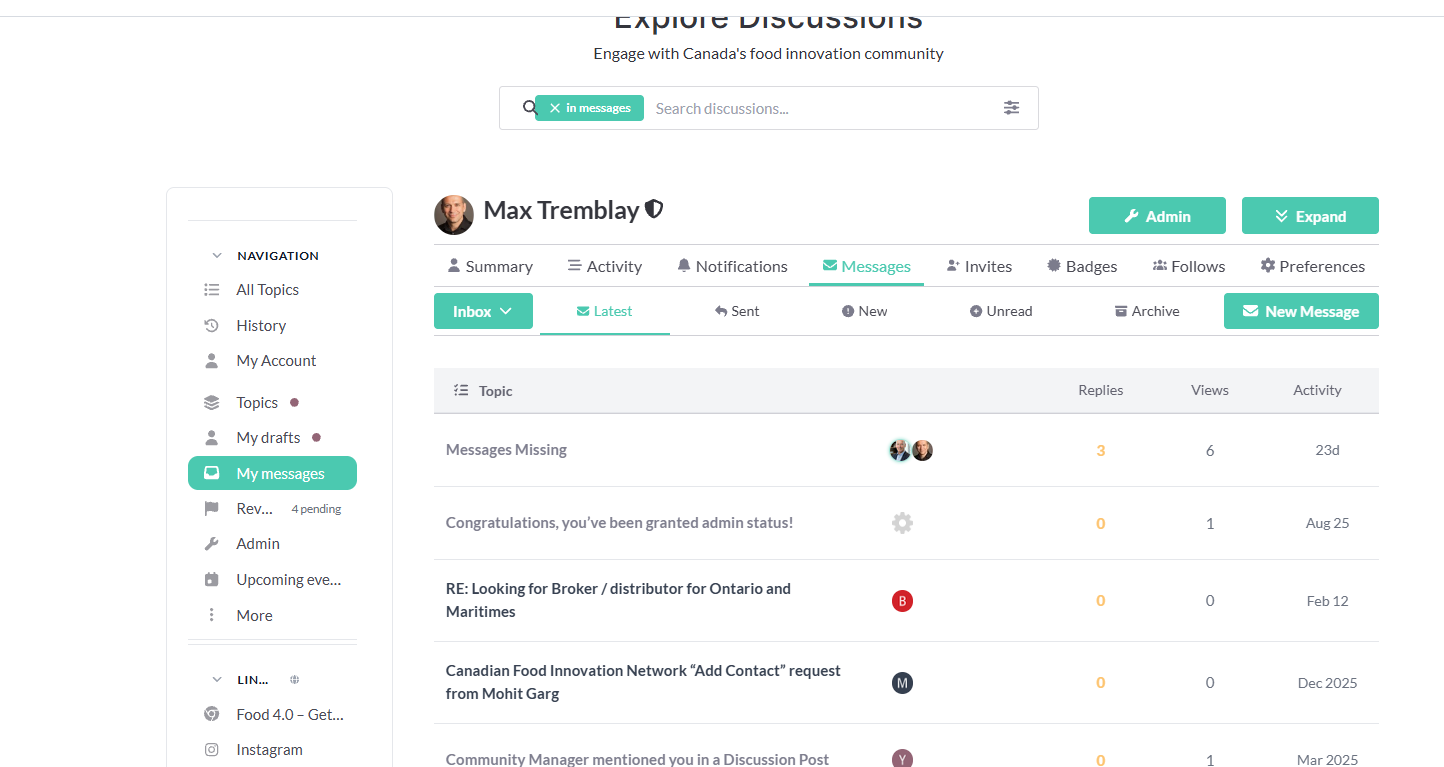
Here’s a quick tip of the week and an answer to a question we get often: Where can I send messages to members, and where are my messages? During development, we decided to have ONE main communication hub, allowing members to post on YODL and then directly access any direct messages from other members. The message box is now located under the YODL community forum, in the left-side navigation, under “My Message.” You can see the screenshot below.
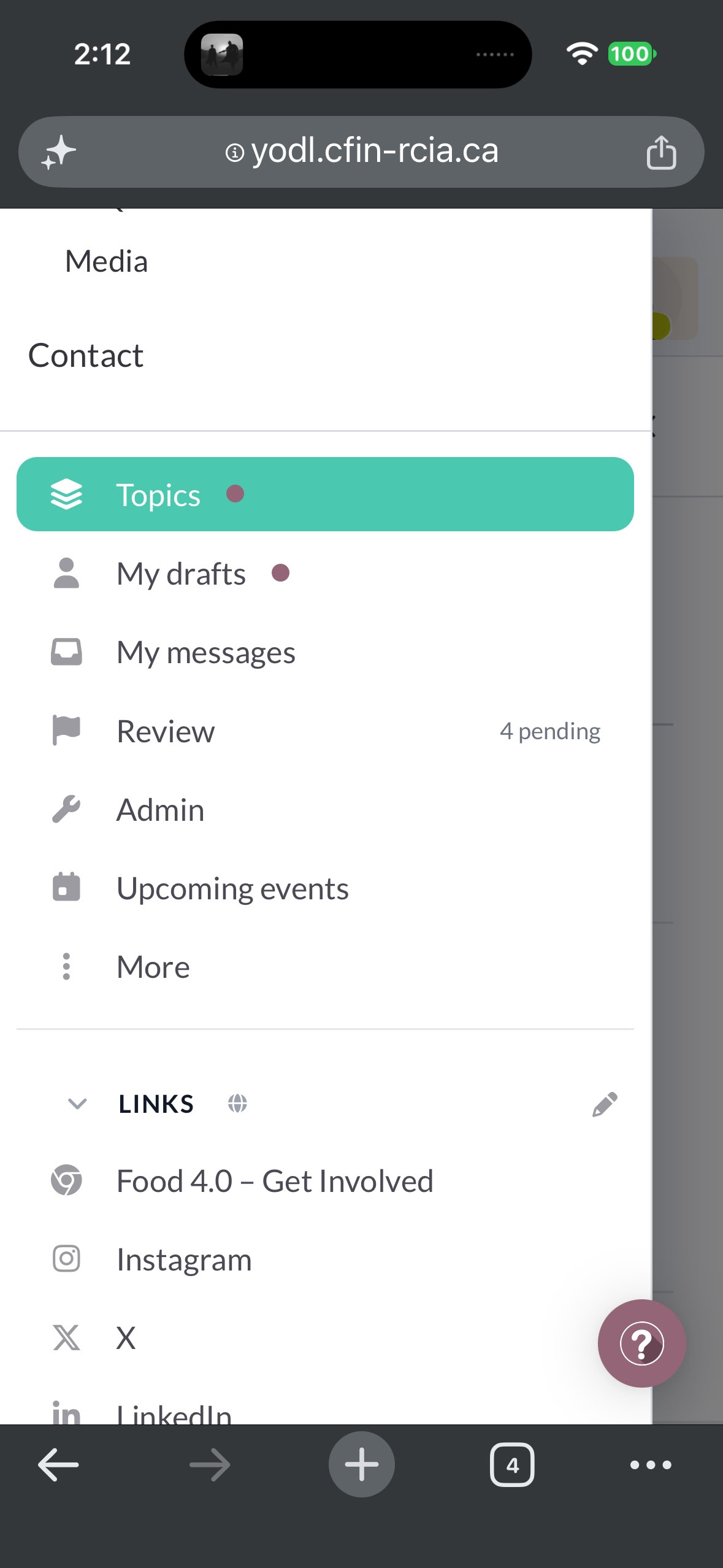
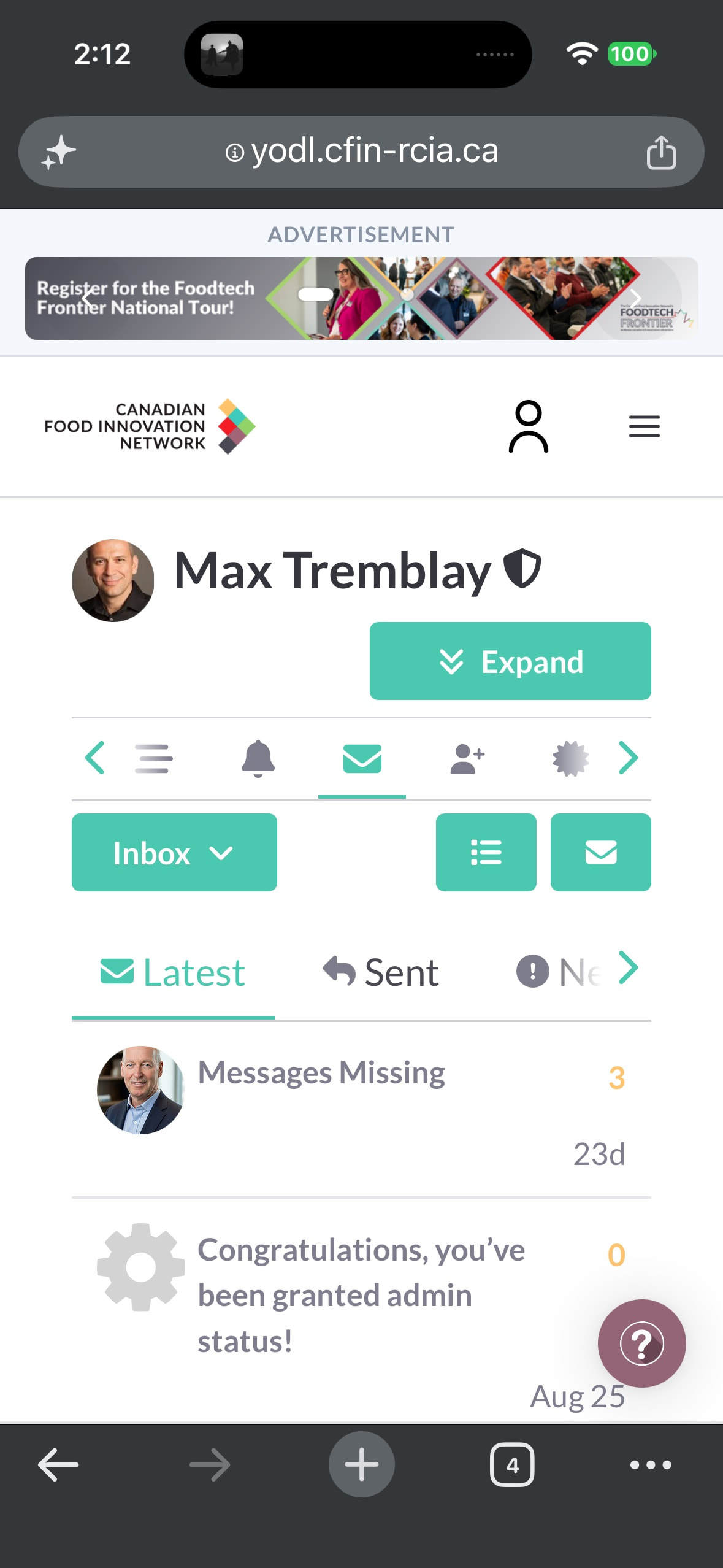
For mobile, simply visit the YODL community forum, and scroll using the “stacked (aka hamburger menu” and scroll to MY Message and will have immediate access.
For more tips, please visit
YODL 101: Your Guide to the New Website